
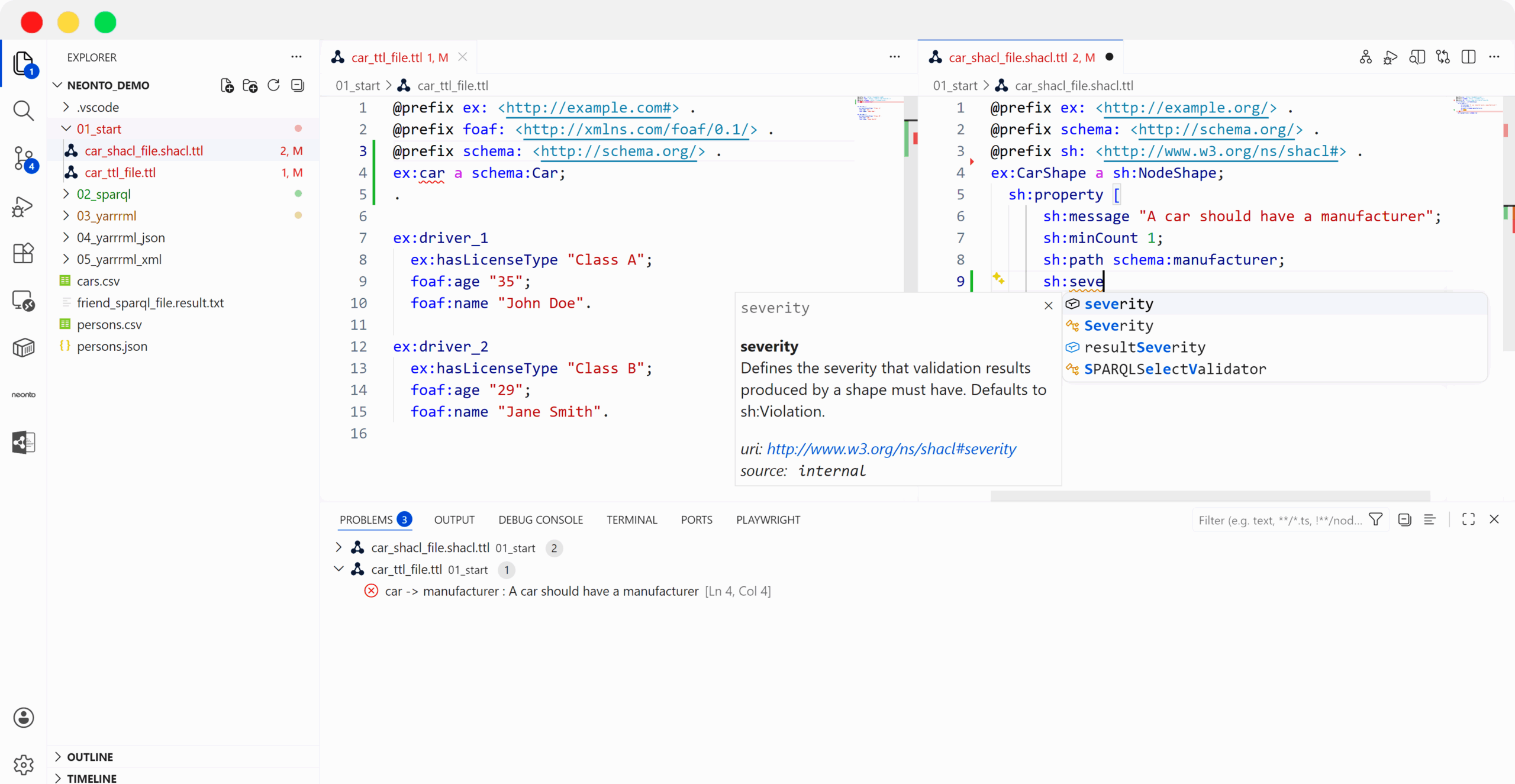
Build Knowledge Graphs in One Single Tool
Turn VS Code into a Knowledge Graph IDE. Author Turtle and SPARQL, validate with SHACL, run RDFS/OWL reasoning, and write your ETL mappings with YARRRML/RML – all inside one editor.
Everything you need
One Platform – Every Step

Complete Knowledge Graph Workflow
From RDF modeling and SHACL validation to RML-based data ingestion and SPARQL querying – everything you need to build production-ready graphs.

User Based Pricing
Start small and scale with your team. Our user-based pricing lets you onboard developers step by step without heavy upfront investment or complex licensing.

No Vendor Lock-In
Built on open standards like RDF, SPARQL, SHACL, and RML. Your data and models remain fully portable and interoperable – no proprietary formats, no hidden dependencies.
Core Capabilities of the Knowledge Graph IDE

Full RDF Support
Smart error detection and suggestions for Turtle, SPARQL and SHACL

Data Quality Control
Spot errors with SHACL validation using our integrated engine

Connect Any Datasource
Effortlessly link your relational data sources like CSV, XML, JSON, and SQL

SPARQL Interface
Connect and query any SPARQL endpoint or your local files

Integrated Mapping Engine
Use our integrated RML mapping engine to ingest data without extra tools

YARRRML Support
The only editor that supports the human-friendly syntax for mappings
Ready to Boost Your Knowledge Graph Development?
We support you from requirement analysis to implementation, enabling your team to build high-quality, production-ready Knowledge Graphs. Get in touch to discuss your use case and next steps.

Frequently Asked Questions
Which standards are supported?
The editor has full support for RDF standards (i.e. YARRRML, RML, SHACL, SPARQL, etc.) with a language server and RML & SHACL engine.
Is it based on VS code?
Exactly. The surroundings will look familiar to many. But only with us can you get the wide world of RDF in your favorite editor.
Why full code?
We think low-code and no-code solutions are great. However, to use the full functionality and features of RDF standards, you need an editor with full flexibility.
Do I need any futher plugins?
We deliver it in full functionality for your daily work. You can of course, customize the editor and set a dark mode or adjust the font. However, you can personalize it with plugins, but you don’t have to.